Case study
ADpro
Campaign distribution center

Project summary
ADpro aimed to streamline how internal teams create and manage ad campaigns across markets, tackling a fragmented interface, slow setup, and a lack of reusable configurations.
We redesigned the tool around market templates, behavioural triggers, and step-based delivery to make campaign creation faster, more intuitive, and scalable.
Background
ADpro is an internal campaign-management platform for the Ads Optimization team to create, configure, and deploy ad campaigns.
The platform gives teams granular control over ad triggers, step-based delivery, and reusable market-specific configurations.
Challenge
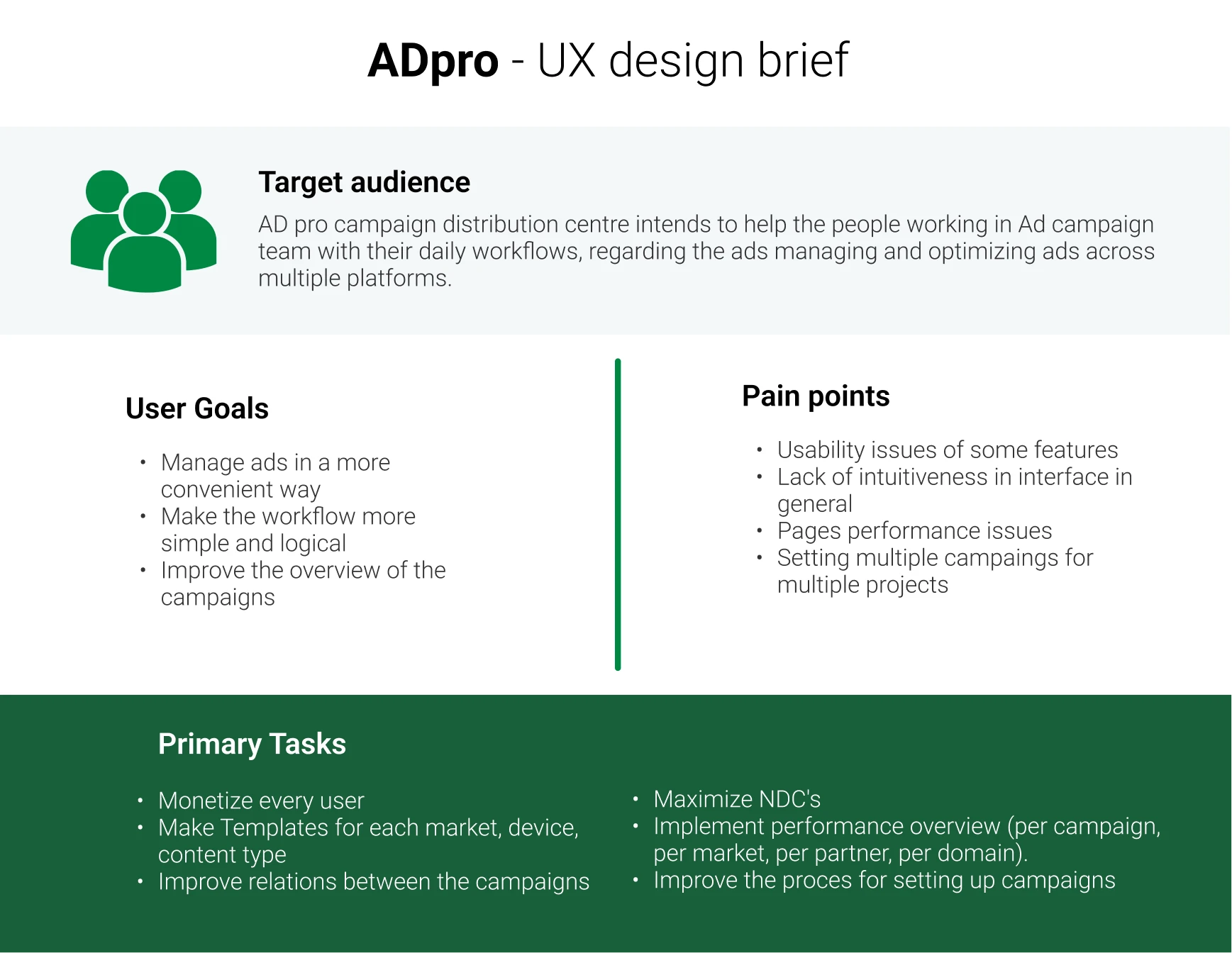
The ads team needed a smarter, more intuitive tool to support growing demands. Setting up campaigns was time-consuming, and managing them across markets felt fragmented and repetitive.
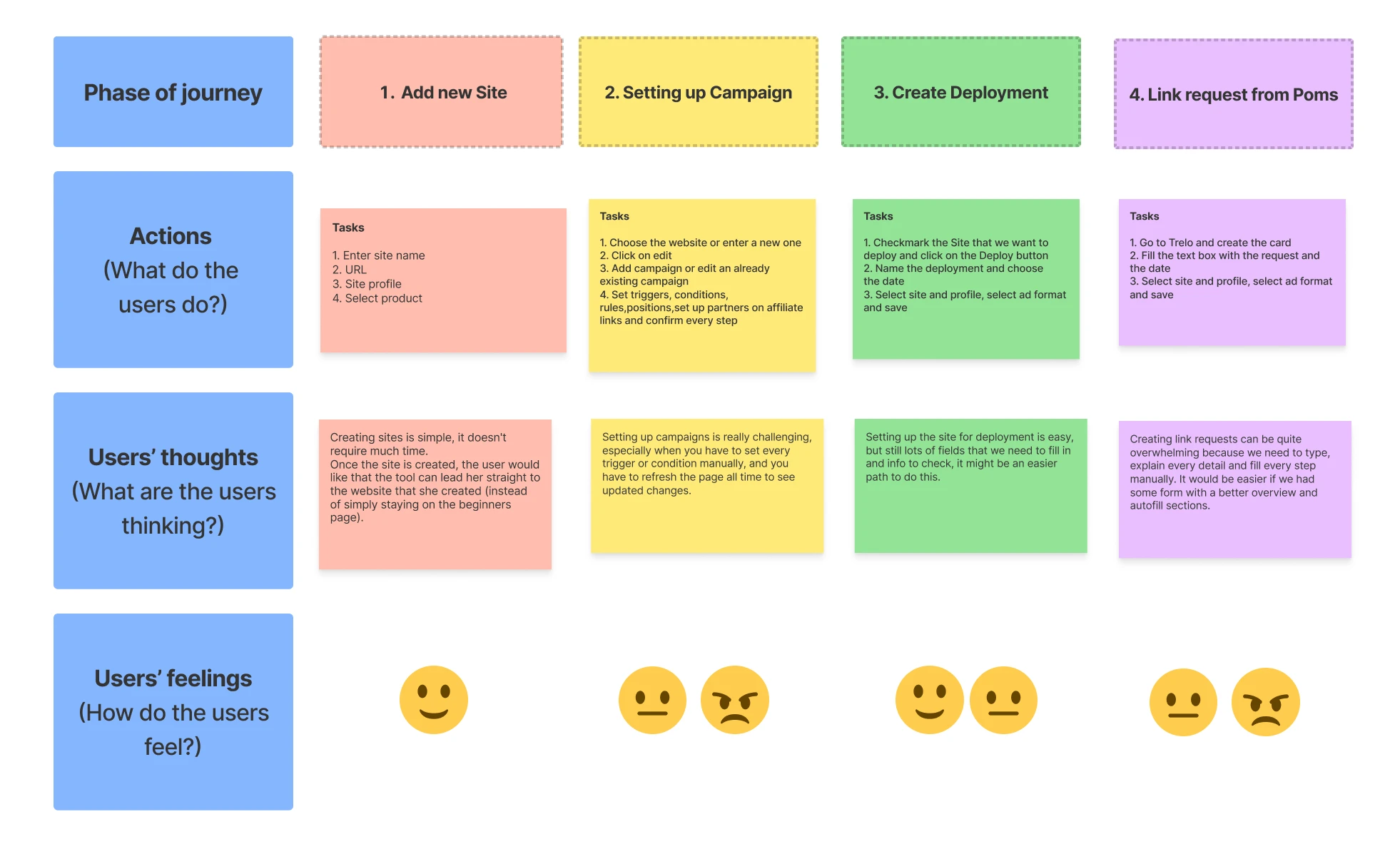
They needed a clearer workflow, an interface that was easier to use, stronger performance, and more precise targeting through trigger-based logic. Interviews and workflow mapping identified usability problems in key features, slow pages, inconsistent campaign setup, and weak visibility across campaigns.
Approach
The initial campaign-creation tool did not meet the team’s needs. Interviews and daily-workflow mapping showed that users struggled with a clunky interface, slow page performance, and inconsistent campaign setup.
Users needed a clearer overview, easier trigger logic, and a faster way to replicate successful configurations. This informed four key parts of the redesign:
- Market templates: Pre-built configurations by device type, region, and content format that save time and maintain consistency.
- Behavioural triggers: Flexible options based on visit count, scroll depth, time spent, clicks, browser type, and location.
- Step configuration: A step-by-step campaign flow builder with custom timing and drag-and-drop ordering.
- Campaign cloning: Reuse one configuration across multiple campaigns for faster rollout.
Step-based campaign setup
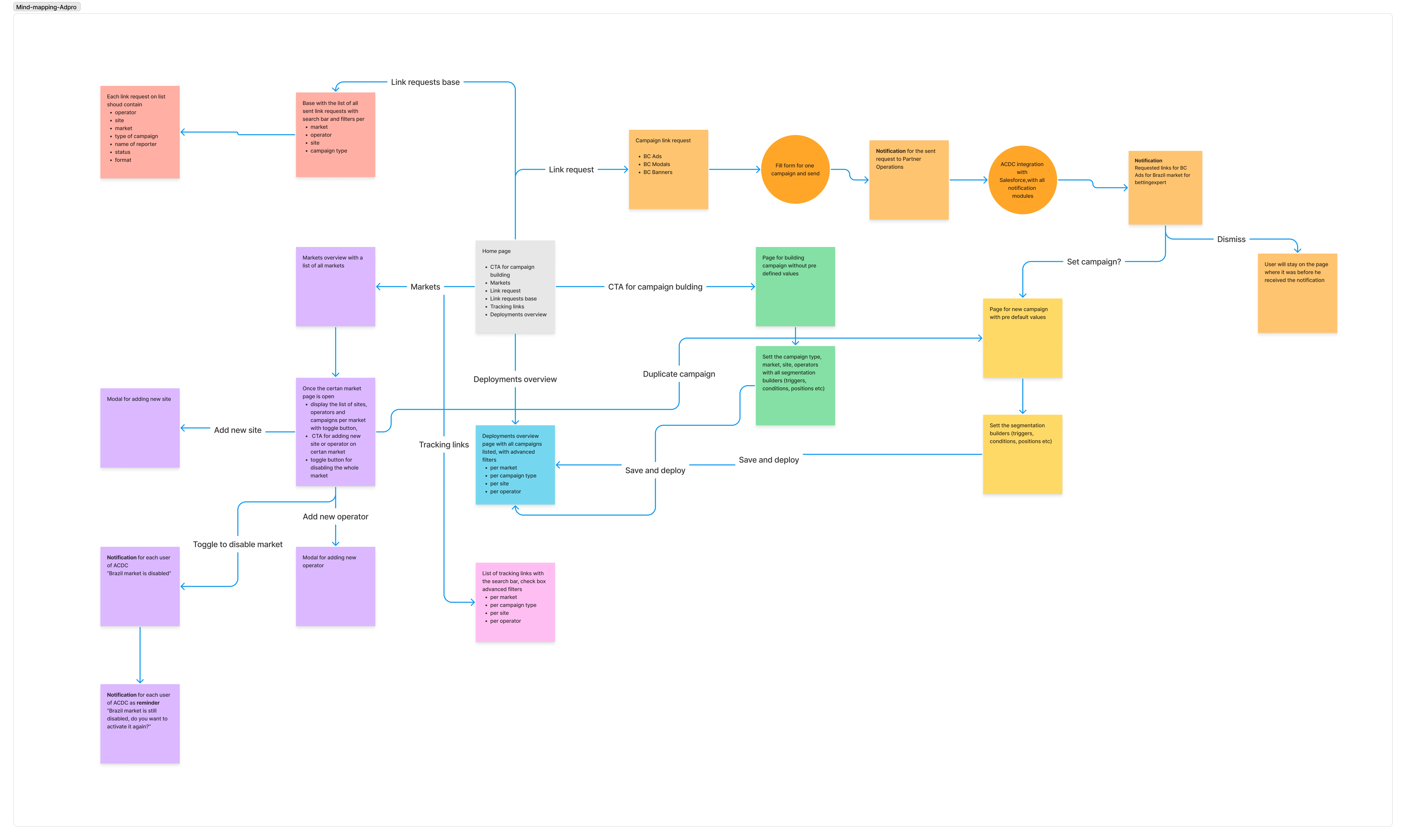
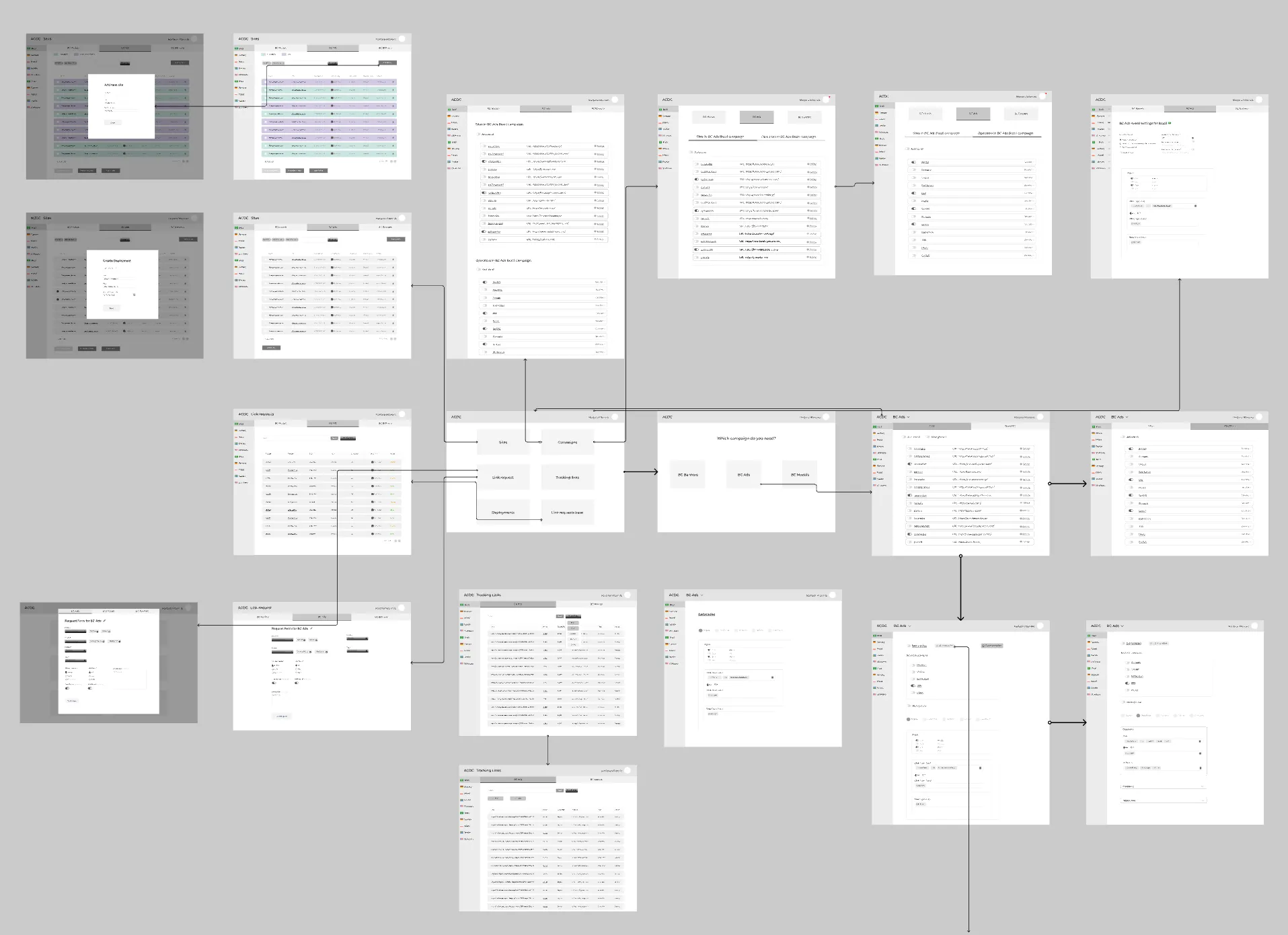
The campaign editor lets teams add operators to ordered steps, set intervals, and review deployment patterns and campaign settings in one place.
Site overview
Site views bring metrics, advertised operators, fetcher status, and deployment controls together for each site.
Market templates and behavioural triggers
Market settings consolidate reusable configurations and operator status. Rule-based conditions make it possible to tailor campaign behaviour by market and user context.
Impact
- Campaigns are now set up over 60% faster, saving the team significant time.
- Internal user satisfaction increased by 70% after launch, based on survey feedback.
- Market templates and rule-based logic reduced errors and confusion.
- More precise behavioural targeting enables smarter campaign delivery.
Next steps
Teams will be able to schedule deployments for specific sites at a chosen date and time, replacing manual triggering with more control and flexibility.